


Steam Discounting Strategy: When and How Much to Discount
Discounting on Steam isn't just "pick a number and hit save." There are rules, cooldowns, and hidden mechanics. It's practically a minigame. The discount percentage you choose triggers (or doesn't trigger) specific platform mechanics. Wishlist emails only fire at 20% or above. Seasonal sales have exempt cooldown rules. Daily Deals require demonstrated revenue. The timing, depth, and cadence of your discounts directly affect how many eyeballs Steam puts on your game.
TL;DR: Any discount 20% or higher triggers wishlist notification emails. Below 20%, no emails. Follow the discount staircase: start modest (10-15% at launch), increase at each seasonal sale. Pair discounts with content updates. Seasonal sales are exempt from the 30-day cooldown.
Key Takeaways
- 20% minimum discount triggers wishlist email notifications. Below 20% is nearly invisible.
- 30-day cooldown after each discount ends, EXCEPT seasonal sales are exempt.
- Follow the staircase: 10-15% launch, 20% first sale, 33% second, 40%+, 50%+ over year one.
- Time discounts to content updates. A discount alone attracts deal-seekers; a discount plus update tells a story.
- Discount all packages together. Staggering creates confusion and dilutes visibility.
This guide is a companion to our Steam Page Optimization guide, which covers the full store page. Here, we're focused specifically on the discounting system: every type of discount, the rules that govern them, and a practical strategy for rolling out discounts across your game's lifecycle. If you're thinking about post-launch strategy more broadly, our guide on building wishlists covers how discounts connect to your long-term audience growth.
Every Type of Steam Discount
Steam has two categories of discounts: self-serve (you set them up yourself) and curated (Valve selects your game and contacts you).
Self-Serve Discounts
These are the discounts you control entirely from the Discount Management Dashboard in Steamworks.
Launch Discount An optional introductory offer that starts the moment your game releases. Runs 7 to 14 days. Maximum depth: 40%. Minimum: 10%. You configure it before your release date. It's the only discount you can run within the first 30 days after release (since all other discount types are blocked by the 30-day release cooldown).
Valve suggests 10-15% for launch discounts if you choose to set one. Going higher, like 30-40%, can undermine the perceived value of a game nobody has played yet. Players see a brand-new game at 40% off and wonder why it's already being discounted that hard.
Weeklong Deals Start every Monday at 10 AM Pacific. Run for 7 days. You schedule them through the dashboard. Good for mid-lifecycle discounts between seasonal sales.
Custom Discounts Fully flexible. You set the percentage, the start date (beginning the following calendar day), and the duration (1 to 14 days). Useful for tying a discount to a major update, an anniversary, or a content milestone.
Seasonal Sale Discounts Four major Steam-wide sales per year. Every released game on Steam is invited to participate. You enter your discount through the dashboard.
The 2026 dates:
- Spring Sale: March 19 through March 26
- Summer Sale: June 25 through July 9
- Autumn Sale: October 1 through October 8
- Winter Sale: December 17 through January 4, 2027
Themed Sale Discounts Steam periodically runs themed events (Survival Fest, Strategy Fest, Visual Novel Fest, etc.) focused on specific categories. These have their own registration process, eligibility criteria, and timing. Check the Steamworks Events page for upcoming themed sales.
Curated Discounts (Valve-Selected)
You can't apply for these. Valve picks games based on revenue performance, player interest, and trending momentum.
Daily Deal Featured on the Steam homepage for 24 hours. Two or more slots per day, rotating at 10 AM Pacific. The associated discount runs 7-14 days. Uses your Header Capsule image.
Eligibility: Valve looks for games that "sustainably reach tens of thousands of dollars in revenue per month." If your game released within the last 2-3 months, it's too early to evaluate. Your first discount ever must have already completed before you can be considered. Valve limits each game to roughly one curated promotion per year.
When Valve decides your game qualifies, they'll send an invite. You then self-schedule your Daily Deal date (within 6 months) through a dedicated dashboard. Valve recommends running your deepest discount to date for the Daily Deal.
Midweek Deal Featured on the homepage for 72 hours, Monday through Thursday. Up to six slots per week. Requires custom promotional art assets that Valve will localize. Discount runs 3-14 days.
Weekend Deal Featured on the homepage for 96 hours, Thursday through Monday. Up to six slots per week. Similar setup to Midweek Deals.
Free Weekends Temporary free access to your game, usually paired with a discount. Players can try the game, and access is removed when the event ends. Strategic for multiplayer games or games with strong early-hour hooks that convert trial players into buyers.
The 20% Rule: Wishlist Email Notifications
This is the single most important number in Steam's discount system.

Any discount of 20% or greater automatically triggers email and mobile push notifications to every player who has your game wishlisted. Below 20%, no notification. Steamworks is explicit: "Any discount set to 20% or greater will automatically trigger email notifications to players with your game on their wishlist."
There are a few conditions:
- The discount must affect the lowest-priced package for your game
- The discount must be longer than 8 hours
- Players must have verified their email to receive notifications
- There's a 1-2 week cooldown between wishlist emails per product (extended during high-traffic periods like seasonal sales)
Developers who track their sales spikes consistently report that the 20% threshold creates a dramatic cliff—going from 15% to 20% often doubles or triples the revenue impact of a sale event.
What this means practically: a 15% discount gets you zero wishlist email traffic. A 20% discount fires emails to your entire wishlist. The difference between 15% and 20% isn't 5 percentage points of margin. It's the difference between silence and thousands of personalized notifications delivered by Valve's infrastructure.
Plan your first meaningful discount around this threshold. Don't waste a 15% Weeklong Deal that generates no wishlist notifications.
The Discount Staircase Strategy
Steamworks documentation recommends this approach: "It's typically best to ease into discounting, and increase the level of discount over time."
The concept is simple. Start shallow, go deeper with each sale cycle. Here's what a typical staircase looks like for an indie game:
Launch (Day 1-14): Optional 10-15% launch discount. Or no discount.
First Seasonal Sale (3-6 months post-launch): 20%. This is the minimum for wishlist emails. Your first real discount event. Announce it with a content update if possible.
Next Seasonal Sale (6-9 months): 25-33%. Deepen the discount, ideally paired with new content.
Following Seasonal Sales (9-12+ months): 40%, then 50%, then 66%, eventually 75% and beyond as the game enters its long tail.
Why staircase? Rushing to 50% or 75% weeks after launch sends a bad signal. Valve's own documentation says it "undermines the value of your title" and makes early buyers feel burned. A gradual ramp respects your early customers and builds anticipation. Players watching your game on their wishlist see the price drop progressively, which creates a sense of momentum. In practice, developers who follow the staircase approach report fewer refund requests and less negative community sentiment compared to those who discount aggressively early.
Timing Discounts to Content Updates
Valve directly recommends this: "Try to make as big an event as possible, ideally tying the discount to a content update."
A discount alone attracts deal-seekers. A discount paired with a major update tells a story. "The game got better AND it's on sale" is a much stronger pitch than "it's cheaper now." New content gives press and content creators something to cover. It gives you a reason to post on social media. And if you're using a Steam Update Visibility Round, the combination of fresh content plus a discount creates a compounding effect.
Discount All Your Packages Together
If you have DLC, a Deluxe Edition, or a Soundtrack, discount them all at the same time. Steamworks documentation is direct: "Discounting only part of your product, or putting the base game on sale this week and the Deluxe Edition next week, dilutes your exposure and prevents you from taking advantage of all the network effects."
You don't need identical percentages across packages. A year-old DLC might be at 50% while a recently released DLC is at 20%. But running them simultaneously means they all benefit from the visibility spike at the same time.
The Cooldown Rules
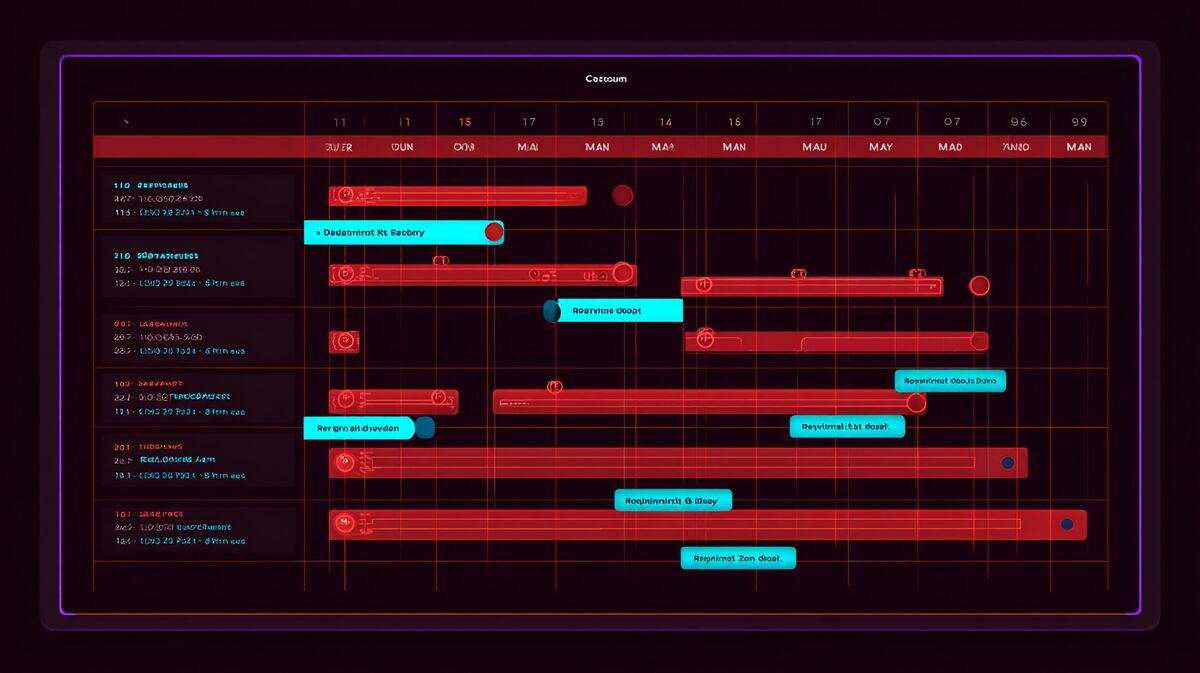
Steam's cooldown system prevents you from running constant sales. Understanding these rules prevents scheduling headaches.
30-Day Release Cooldown
After releasing your game (including Early Access), you cannot discount it for 30 days. The one exception: a Launch Discount, which is configured before release and starts on release day.
30-Day Price Increase Cooldown
After increasing your price in any currency, you cannot discount for 30 days. No exceptions. This applies to any price increase, even small adjustments in specific currencies. Decreasing your price does NOT trigger a cooldown.
30-Day Discount Cooldown
After any discount ends, you cannot run another discount for 30 days. One critical exception: Seasonal Sales are exempt from this cooldown, and they don't create one either. This means you can run a Weeklong Deal, then join the next Seasonal Sale even if it falls within 30 days, and then run another discount after the Seasonal Sale even if that's within 30 days of the sale ending.
This exemption only applies to the official Seasonal Sale discount entries that appear in the Discount Management Dashboard. If you create your own custom discount on the same dates, it doesn't get the exemption.
Practical Scheduling Example
Say your game launched on January 1, 2026 with a 10% launch discount running 14 days (ending January 15).
- January 15: Launch discount ends. 30-day discount cooldown starts.
- February 14: Cooldown ends. You can run a new discount.
- March 19-26: Spring Sale. You can participate even if you ran a discount in late February, because Seasonal Sales are exempt from the 30-day cooldown.
- After Spring Sale: No cooldown from the seasonal sale, so you could schedule a Weeklong Deal or Custom Discount shortly after.